Summary
SOLIDWORKS 2026 introduces AI-driven design, faster performance, and smarter collaboration. Discover what’s new.
More Productive Import and Export Process
Working with non-native 3D file formats often causes bottlenecks in CAD workflows. SOLIDWORKS 2026 introduces background processing for imports, allowing engineers to open large files without locking up their workstations.
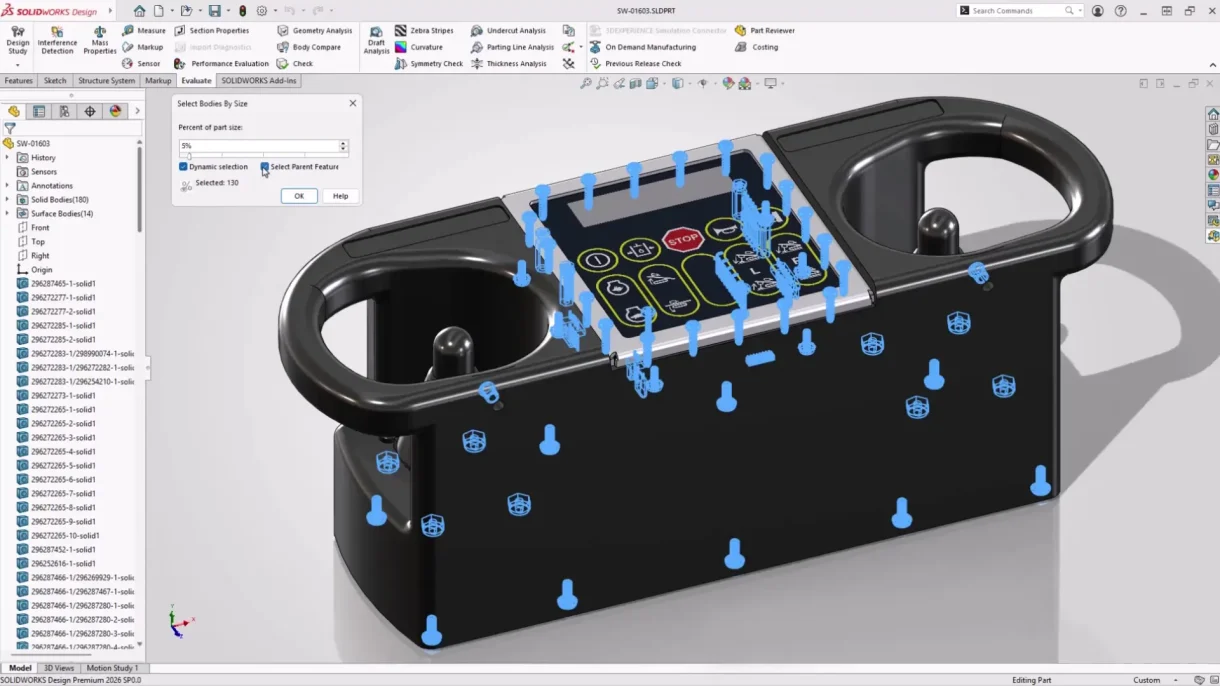
Selecting bodies in a multi-body part based on size
The new Import Model as Background Process task pane lets you continue working while files load. Additionally, multi-body part environments now include filters to simplify complex parts by selecting bodies based on size or volume. These enhancements drastically reduce time spent managing imported geometry and improve overall productivity.
Enhanced Appearances & Render Options
Rendering in SOLIDWORKS 2026 gets a major upgrade with support for DSPBR (physics-based rendering) materials. Users with licenses of SOLIDWORKS Visualize will be able to render directly from SOLIDWORKS by activating the Visualize add-in will be able to render direct from SOLIDWORKS from a single command.
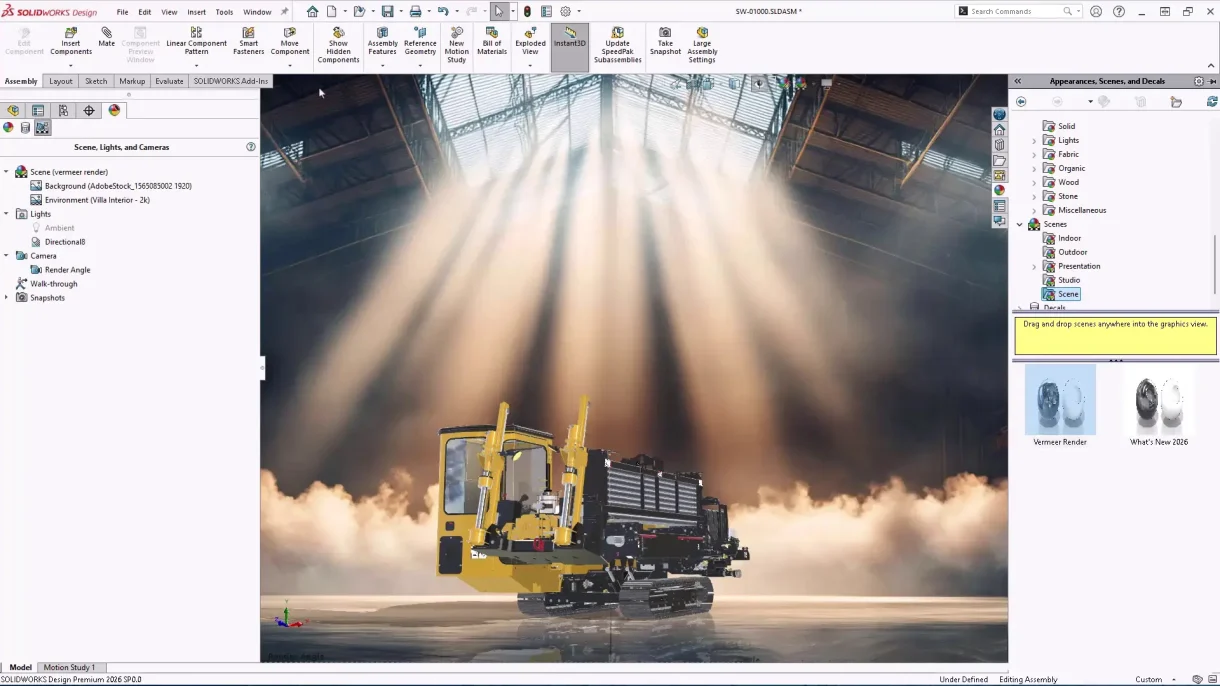
Rendering a Visualize scene directly from SOLIDWORKS
The updated appearance library delivers stunning realism while maintaining the simplicity of a drag-and-drop application, as well as accurate visual import into Visualize. These are the materials we’ve come to know and love in SOLIDWORKS Visualize over the last few years, bringing a seamless rendering experience as we say goodbye to replacing appearances on import. This streamlined workflow makes high-quality visualizations faster and more accessible than ever.
Streamlined ECAD-MCAD Collaboration
Last year, CircuitWorks made headlines by formally integrating into SOLIDWORKS Electrical. This year, we see more love being shown to electrical design workflows in SOLIDWORKS 2026, as collaboration between electrical and mechanical design teams is smoother.
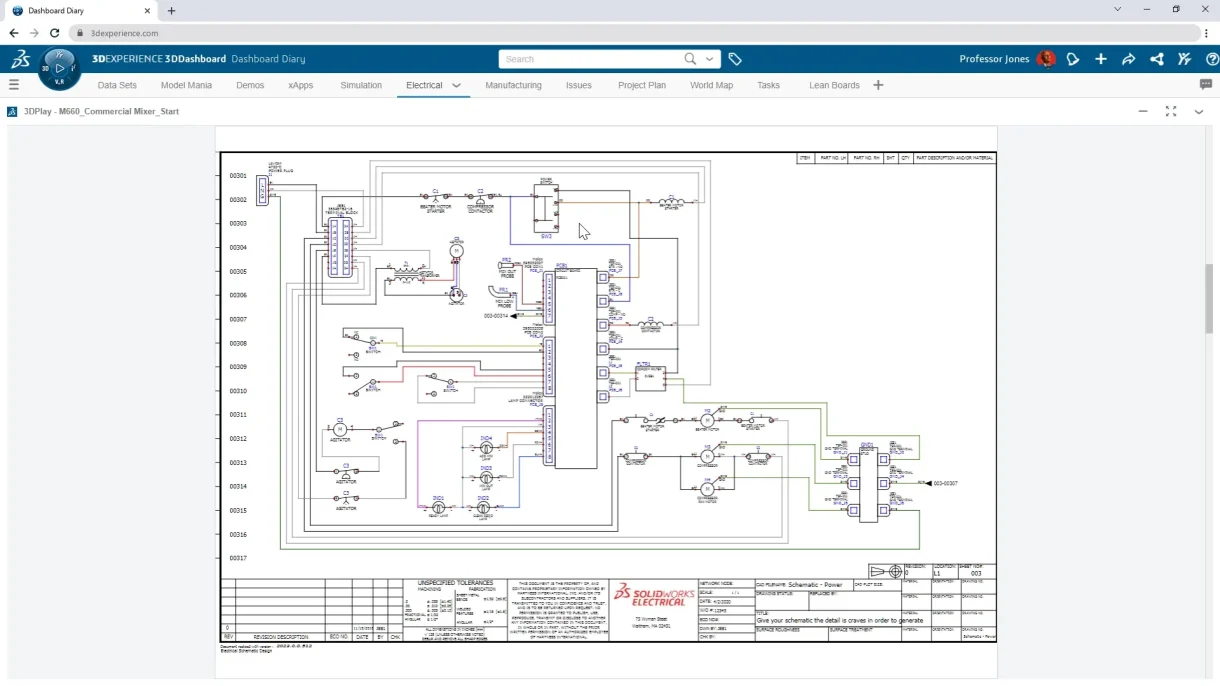
Schematic created using SOLIDWORKS Electrical
CircuitWorks now tracks parent-child data, including key pins and plated/non-plated holes, improving traceability. Users can review and undo MCAD changes before final updates, thanks to enhancements in IDM 3.0. These features simplify PCB design workflows and reduce errors, making cross-disciplinary collaboration more intuitive and efficient.
Increased Flexibility for Electrical, Pipe, and Tube Routing
SOLIDWORKS Routing tools in SOLIDWORKS 2026 offer greater control and customization for your routed subassemblies. Engineers can now model insulation jackets and other protective layers directly within routes and save them as reusable favorites.
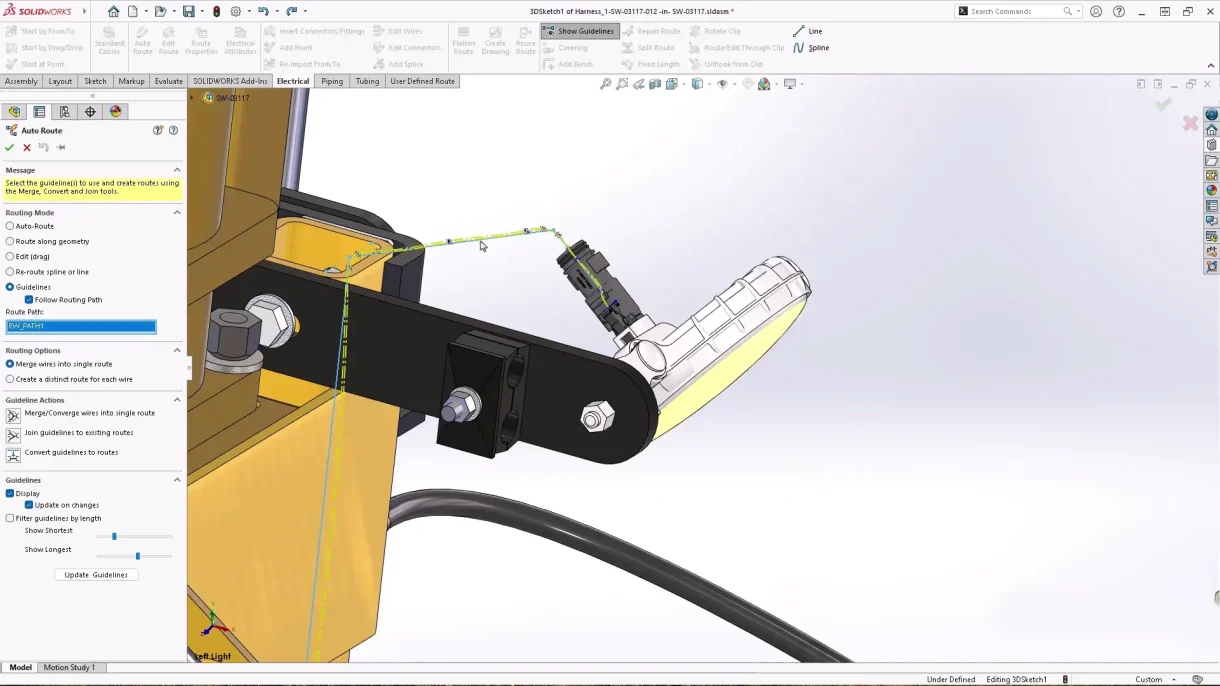
Auto-routing workflow improvements to include guidelines
Routing BOMs can be combined across subassemblies for a comprehensive item count. Auto-Route now supports guideline-based routing using 3D sketches, enabling organized wire, cable, and harness layouts.
Developed Detailed Drawings
Technical drawings can be made clearer and more readable in SOLIDWORKS 2026 courtesy of key enhancements, improving clarity and minimizing manufacturing errors. Magnetic lines now support notes, weld symbols, revision symbols, and dimensions, in addition to balloons, making layout alignment easier.
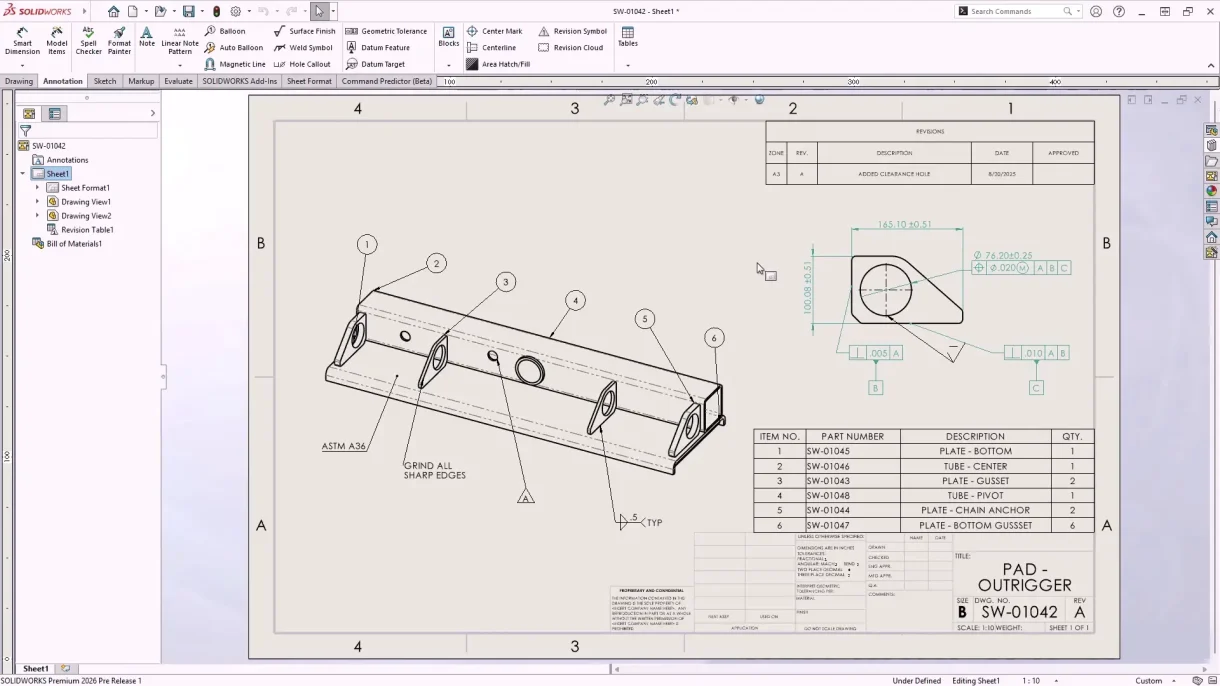
Better magnetic line support for drawing annotations
For users of SOLIDWORKS MBD, you’ll also be able to hide or show multiple annotations at once, just like in 2D drawings. These updates ensure that documentation meets the diverse requirements of various vendors while maintaining precision.
Seamless Collaboration and Data Management
Team-based design is more streamlined in SOLIDWORKS 2026, as connecting through SOLIDWORKS Cloud Services allows you to share designs from within SOLIDWORKS with ease, keeping focus on the task at hand. Maturity tracking and drawing history are now automated with evaluated attributes.
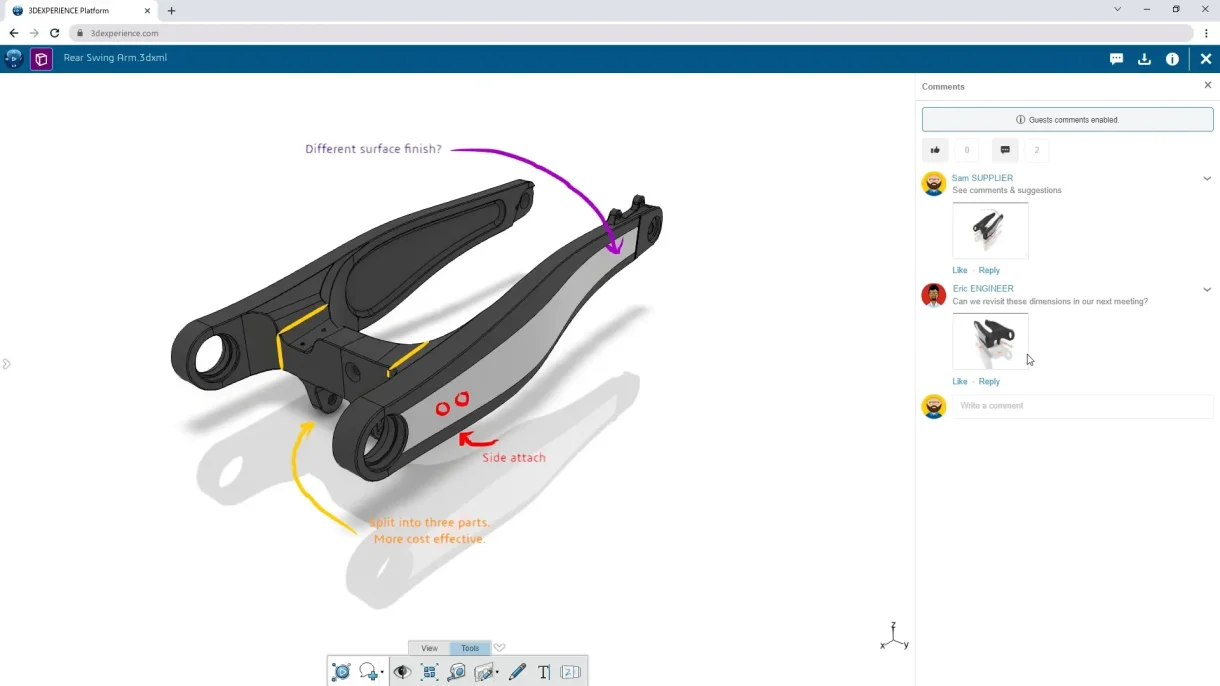
Native, cloud-based collaboration
Configurations can be saved as individual physical products, offering greater flexibility in design structuring. Sharing is simplified with support for standard formats like PDF, STEP, STL, and IGES, and access control ensures secure collaboration.
SOLIDWORKS PDM 2026 also introduces the automatic synchronization of vault views, letting users work on checked-out files on different computers without having to check files in by making the most of Transfer Ownership.
Upgraded Part Modeling
Part creation and modification are faster and more intuitive in SOLIDWORKS 2026. Sheet metal tools now support offset flanges and quick corner breaks, and we can at long last delete equations that cause errors after the sketch or feature has been deleted!
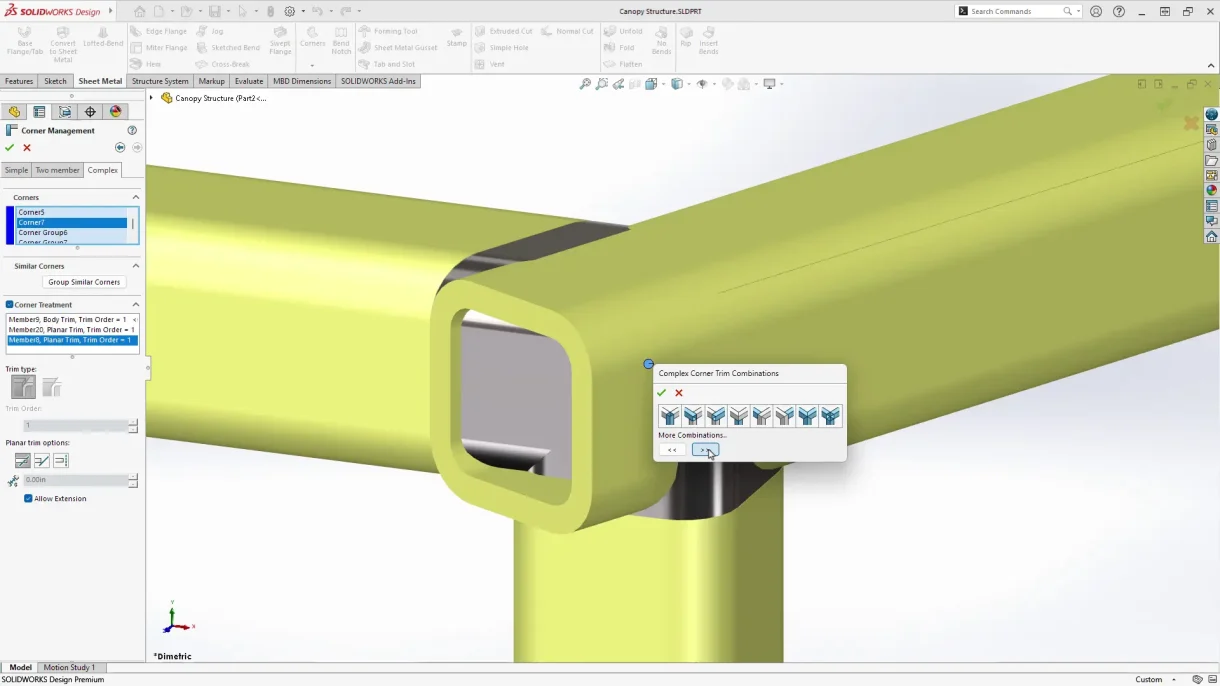
Improved corner treatment for welded structures
Structural system parts benefit from improved corner treatment previews, and cut list properties are now more compatible with PLM and ERP systems, enhancing traceability. Bounding box calculations can be aligned with coordinate systems for precise volume estimations.
Improved User Experience
SOLIDWORKS 2026 enhances usability across the board by introducing automatic offline mode to ensure uninterrupted access during connectivity issues.
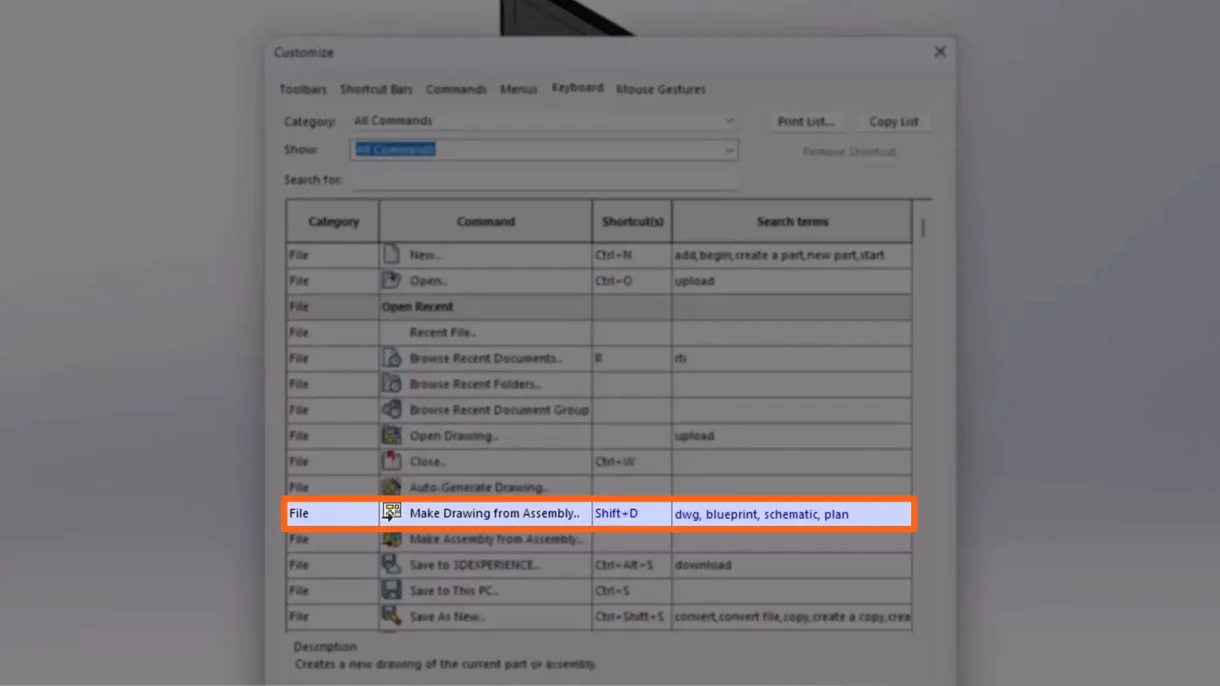
Command Search enhancements for better visibility
The UI highlights commonly used commands, helping new users stay focused on design. Command search is now more powerful with customizable keywords, making it easier to find tools and features. These refinements make the software more approachable for newcomers and more efficient for seasoned professionals.
Enhanced Large Assembly Features
Handling large assemblies is faster and more efficient. Engineers can now filter specific portions of a design using component relationship visualization and advanced filters from the 3DEXPERIENCE platform.
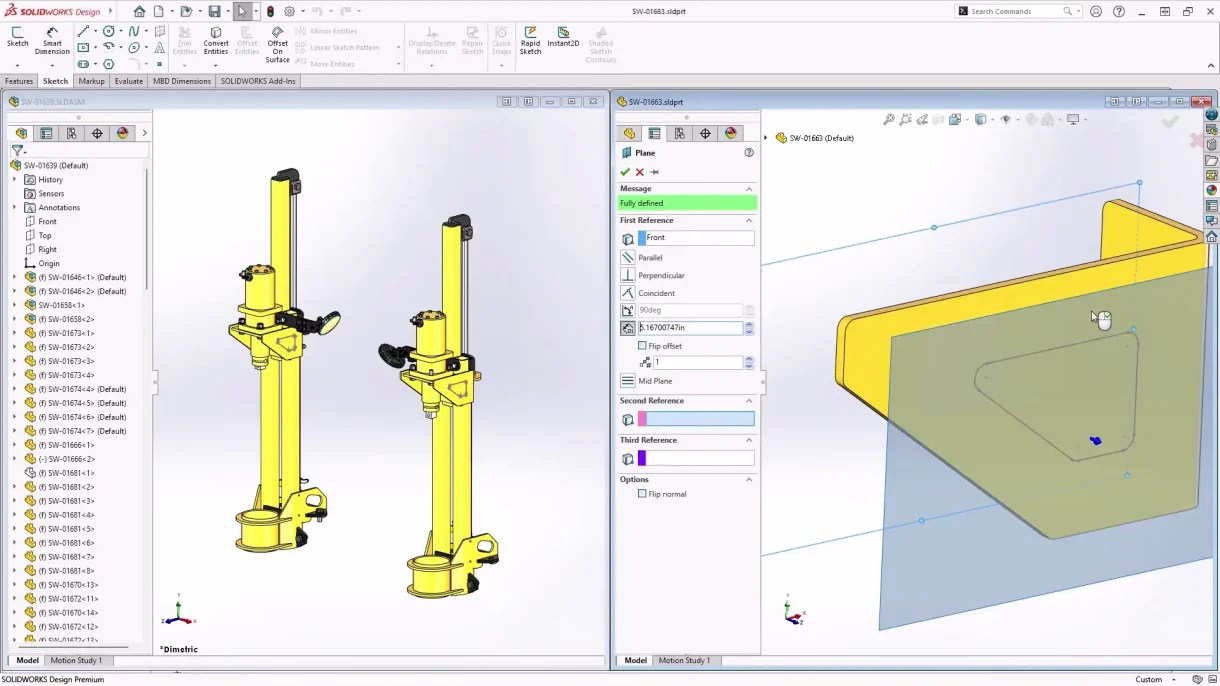
Better assembly modeling workflows in SOLIDWORKS 2026
Cosmetic changes no longer trigger rebuilds, saving time and reducing network traffic. These improvements are a game-changer for teams working with complex, data-heavy models.
AI-Powered Design and Detailing
The headline feature of SOLIDWORKS 2026 is its further integration of artificial intelligence. AI now assists with drawing creation, including automated views, hole callouts, dimensioning, sheet format selection, and scaling.
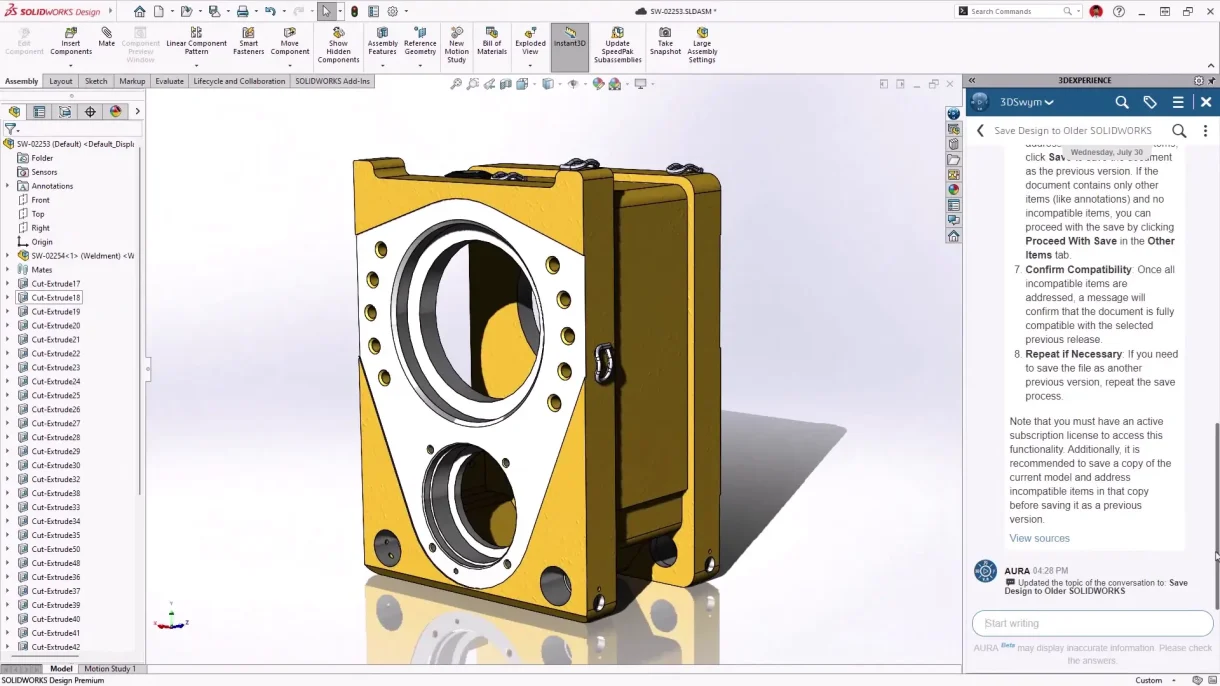
Integrated AI assistant to SOLIDWORKS 2026
Too Many SOLIDWORKS 2026 Enhancements to List
SOLIDWORKS 2026 represents a leap forward in CAD technology, blending performance, usability, and intelligence to meet the demands of modern engineering with countless updates across the SOLIDWORKS portfolio.
So whether you’re designing intricate assemblies or collaborating across disciplines, this release delivers tools that make your workflow faster and smarter.
You can read this article for a detailed guide on copying projects using SOLIDWORKS PDM Copy Tree